Top-Rated Floor Plan Apps Compared
A comprehensive look at important features and considerations, so you know where to save your time and effort.
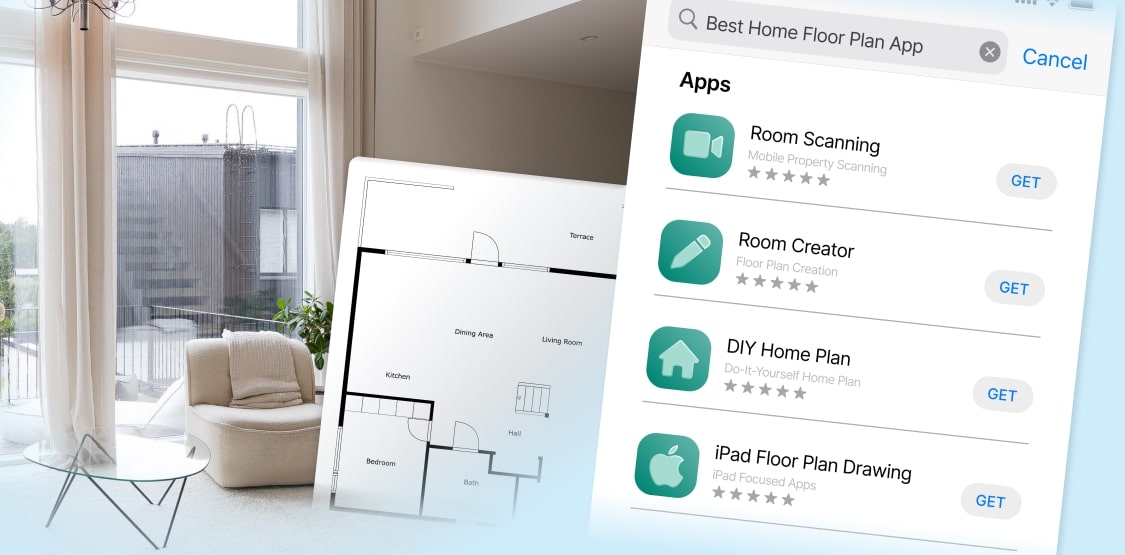

Not sure how to draw a floor plan of a room? With the latest AI technologies advancements, there are several ways to obtain a professional layout even if you do not know how to create a floor plan. Read on to learn the latest floor plan apps for iPhone, Android or iPad.

Whether you are a real estate professional, designer or DIY enthusiast – you can choose between several low-cost or free options. Here’s a look at some of the best free floor plan apps that can help you create accurate and detailed layouts.
Key Features to Look for in Mobile Floor Plan Apps


Ease of Use:
The best apps are user-friendly, allowing you to create floor plans quickly and efficiently. Look for house plan apps with intuitive interfaces that don’t require extensive training.

3D Capabilities:
Visualizing your space in 3D can be incredibly helpful. Apps to draw a floor plan that offer a 3D home view make it easier to plan and design, giving you a more realistic perspective.

Room Mapping:
Accurate AI/AR is crucial for creating precise floor plans. Some house plan drawing apps specialize in this, making it simple to map out each room in your home.

Device Compatibility:
The best floor plan apps can easily work with other software on your iPad, iPhone, or desktop. This lets you export and use your designs on different devices.

A Solution Ready to Go
Try CubiCasa, the easiest and fastest 2D & 3D floor plan app for iOS and Android devices.
Best Apps to Create Floor Plans

Here’s a look at some of the top home floor plan apps to design a floor plan that can help you create accurate and detailed layouts.

Room Scanning Apps:
These apps are perfect both for beginners and experienced users. They only require the user to download a floor plan app creator like CubiCasa and to scan the property with their smartphone. In result, the users will receive a professional floor plan with room dimensions.

Room Creator Apps:
These draw floor plan apps are perfect for users who want to design room layouts on their own (example Roomsketcher). They often include drag-and-drop features and a variety of templates to choose from.

DIY home plan apps:
Room mapping apps like Magic plan app can help to draw house plans. Magicplan is the best app for drawing building plans for users who are comfortable with its corner tapping and room mapping features.

iPad Floor Plan drawing App:
Take full advantage of the screen size: Look for a house plan drawing app for iPad. iPads offer a larger workspace, making them ideal for detailed floor plan creation.
Why CubiCasa Stands Out
CubiCasa stands out for its simple yet advanced floor plan creator options. Here’s why CubiCasa is an excellent choice.

Quick and Easy Scans
With CubiCasa, creating a floor plan is as simple as scanning your space. In just 5 minutes, you can generate a highly accurate floor plan ready for use.
Free Floor Plan App Version
Free Version Available in the US: LITE is available for iPhone, iPad, and Android devices. This cross-platform availability also ensures that team members can collaborate seamlessly.
2D and 3D Floor Plans
CubiCasa doesn’t just stop at 2D plans. You can create 3D visualizations and 3D renderings to improve your understanding of a space. You don’t even have to add furniture manually because the app automatically will include matching finishes and furniture. This can make it simpler to plan renovations or arrange furniture.
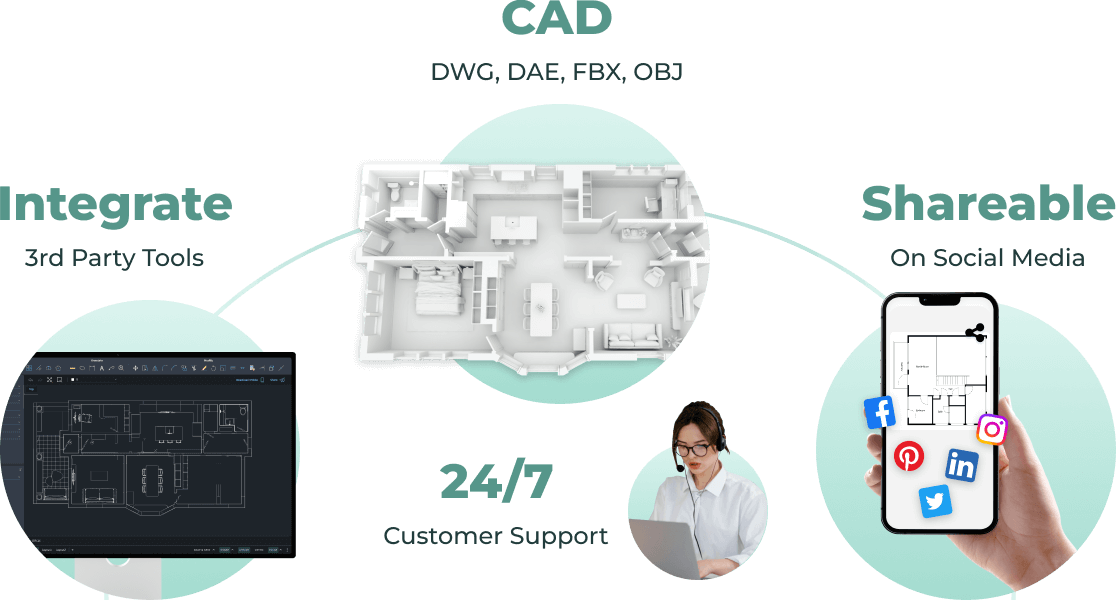
Integrates with Other Third-Party Software
CubiCasa’s integration with other third-party softwares helps improve your designs and allows you to export them for future use. This enables you to refine your interior designs and export them for future use.
Top-Notch CAD files
CubiCasa offers top-notch CAD files in different formats: 2D DWG, 3D DWG, DAE, FBX and OBJ for only $35 extra; a great solution for Autocad users! This makes it easy to transfer your designs to other software. These files can be used for detailed home design 3D, architectural work, or client presentations.
Easily add a Floor Plan and Video
Easily add your floor plan and video renders from CubiCasa on your social media. The 3D outputs include pieces of furniture and realistic materials.
24/7 Reliable Customer Support
CubiCasa’s customer support handles concerns quickly and professionally, ensuring a smooth experience for you and your clients.






End the Search, Try CubiCasa Now!
Try CubiCasa, the easiest and fastest 2D & 3D floor plan app for iOS and Android devices.
Frequently Asked Questions
Go to Help CenterWhat makes CubiCasa different from other floor plan apps?
CubiCasa combines the ease of a quick scan with advanced features like 3D modeling and CAD file output, making it a versatile tool for both professionals and homeowners.
How do I create a floor plan with CubiCasa?
Download the app from App Store or Google Store. Simply scan your space with your mobile device (around 5 minutes), and CubiCasa will generate a detailed floor plan with room dimensions.
Can I use CubiCasa on an iPad or iPhone?
Yes, CubiCasa is fully compatible with both iPad, iPhone and even Android, offering flexibility and convenience no matter which device you use.
Is CubiCasa suitable for professional use?
Absolutely. CubiCasa provides professional-grade outputs, including 3D models and CAD files, making it ideal for architects, designers, and real estate professionals.

Choose CubiCasa for Your Next Project
If you’re looking for a powerful, user-friendly app to create accurate floor plans, CubiCasa is the perfect choice. Whether you need a quick 2D plan or a detailed 3D model, CubiCasa offers the best floor plan software for ipad, iphone and android.
Start your next project with CubiCasa and experience the difference for yourself! With over 1 Million floor plans created, it’s a trusted choice for creating detailed floor plans on the go. With this app, you don’t ever need to learn how to draw a floorplan – CubiCasa is your personal floor plan designer!