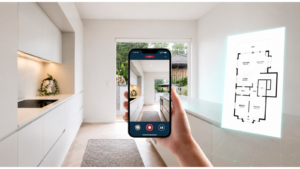
Digital tools can significantly simplify home inspections, enhancing every step of the process. From organizing pre-inspection tasks to capturing on-site data and compiling comprehensive reports, these technologies streamline workflows and improve accuracy. With the right apps, inspectors can manage schedules, document findings precisely, and communicate effectively with clients. Embracing digital solutions boosts efficiency and ensures higher-quality service, helping inspectors stay competitive in an evolving industry.
Pre-Inspection Power-Up: Getting Organized
Before starting an inspection, organizing your tasks to ensure efficiency and thoroughness is essential. First, create a detailed schedule for your upcoming inspections to manage your time effectively. Gather all necessary documents, including property information, floor plans, and client contracts, to have everything you need at your fingertips. Floor plans are particularly useful as they provide a clear layout of the property, helping you plan your inspection route and identify key areas to focus on. Finally, prepare inspection checklists tailored to specific property types, ensuring you cover all critical areas during the inspection.
To enhance your efficiency in this stage, consider using these tools:
- CubiCasa: For generating free 2D floor plans. ($0)

- Home Inspector Pro: For scheduling and managing inspection appointments.
- Spectora: For preparing inspection checklists.
Capturing Photos: On-Site Efficiency Unleashed
When you’re on-site, maximizing efficiency is key. Utilize digital tools for efficient data collection and note-taking, streamlining the process and reducing errors. Take detailed notes on property conditions, documenting any issues or areas of concern thoroughly. Capture photos to document your findings, providing visual evidence that supports your written notes and helps convey the property’s condition accurately.
These tools can help streamline your on-site data collection:
- CubiCasa: Use the Snapshots feature to capture photos during scans (Free).
- Tap Inspect: For mobile data collection and note-taking.
- Spectora: For efficient on-site data collection and documentation.
Putting It All Together: Professional Report Creation
After gathering your data, the next step is to compile it into a comprehensive report. Input your inspection data into report templates, ensuring accuracy and completeness. Include detailed descriptions of your findings, supported by photos and other documentation to provide a clear and thorough account. Customize your reports to match client preferences or specific industry standards, ensuring they are professional and tailored to the needs of your clients.
Enhance your report creation with these tools:
- CubiCasa: Use the Snapshot Report & Home Report features for detailed property data.


- Home Inspector Pro: For customizable report templates.
- InspectIt: For detailed descriptions.
Client Care Advantage
Effective communication and follow-up are crucial for building strong client relationships. Share inspection reports promptly to keep clients informed, and communicate findings clearly, addressing any questions or concerns. Maintain open lines of communication throughout the process to ensure client satisfaction and trust. After the inspection, follow up with clients to address additional questions and provide guidance on the next steps, such as recommendations for repairs or further evaluations. Securely store inspection data for future reference, ensuring client confidentiality and professionalism. By combining transparent communication and thorough follow-up, you can nurture lasting relationships with your clients.
Improve client communication and follow-up with these tools:
- Spectora: For client communication and report sharing.
- Tap Inspect: For maintaining ongoing client support.
Advanced Deliverables: CAD Files for Construction & Renovation
For inspectors working with clients planning renovations or collaborating with contractors, CAD files can offer added value. With CubiCasa CAD, you can generate professional-grade CAD files (in .dwg, .fbx, 3D.dae or .obj formats) directly from your property scan. These files provide accurate, editable layouts that can be shared with architects, engineers, or designers—saving time and ensuring consistency across the project. Whether it’s for documenting as-built conditions or supporting future planning, CAD files enhance the technical quality and utility of your inspection deliverables.
You can easily open and edit these CAD files with most widely used software. Some examples are listed below:
- AutoCad
- Revit
- Archicad
- SketchUp
- 3Ds Max
Streamlined Success: Elevating Efficiency
Efficiency is key to delivering top-notch home inspections. Each stage is vital, from prep to report generation. Digital solutions can revolutionize workflows, saving time and enhancing accuracy. Inspectors should evaluate current processes and consider tech upgrades to boost efficiency and quality of service, ensuring they stay ahead in an ever-evolving industry.
Boost your efficiency with these digital solutions:
- Tap Inspect: For streamlined inspection workflows.
- Spectora: For comprehensive digital inspection solutions.
- Horizon Inspection Software: For overall inspection reporting
Leveraging the right apps throughout the home inspection process enhances efficiency and service quality. By embracing these digital solutions, you can streamline your workflow, provide exceptional value to clients, and stay ahead in the competitive home inspection industry.